
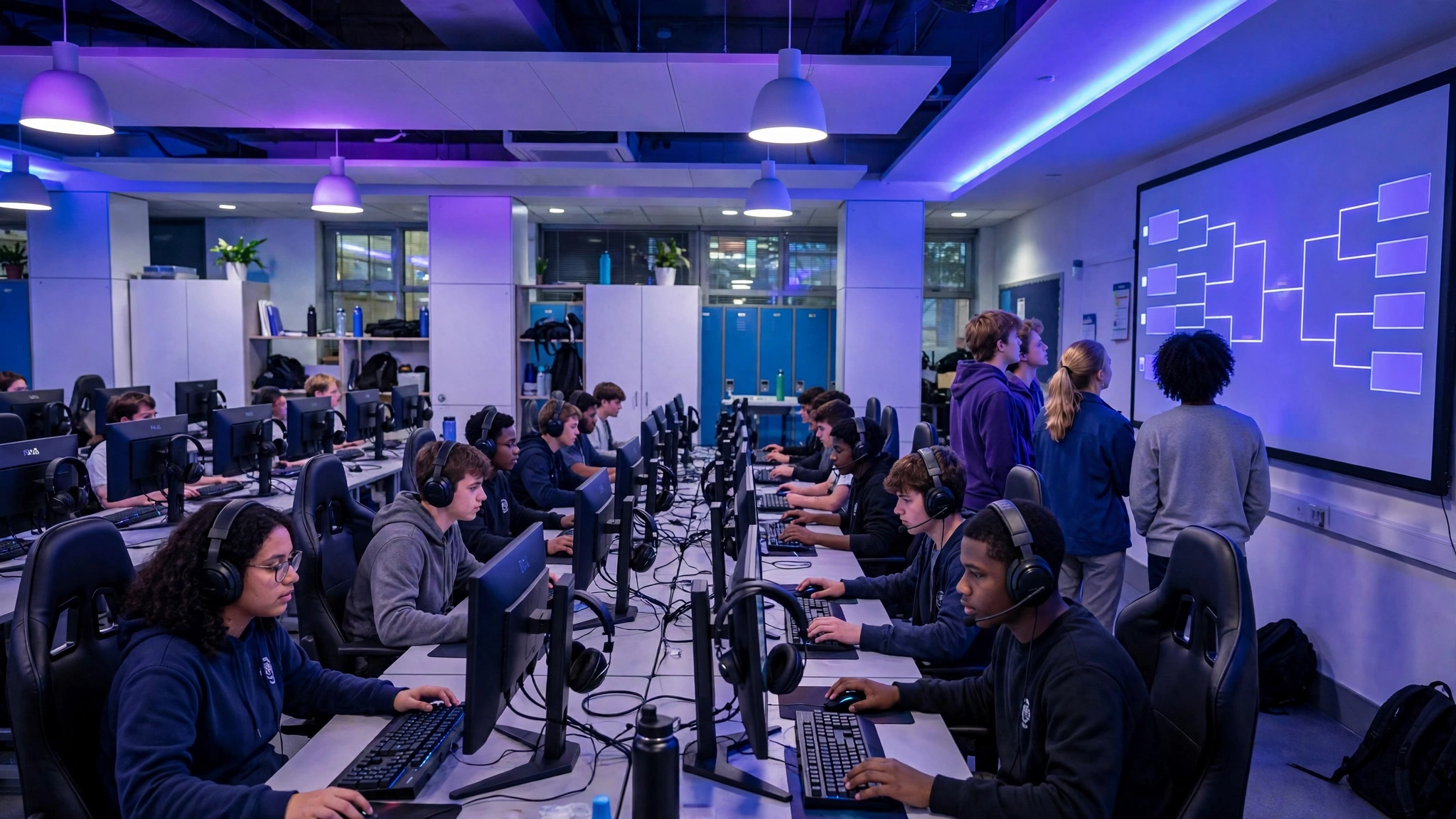
A small esports tournament looks simple from the outside: a game, a bracket, a room full of players. The events that run smoothly, though, are the ones where someone worked through the boring details a week early: accounts logged in, updates finished, rules written down, and a bracket that does not need redrawing on the day. This checklist walks through each decision in order, written for school clubs, youth groups and community teams running their first or second event.
Choose the game and the format first
Everything else depends on these two choices. Pick a game your players already own or can access free, with matches short enough to fit your schedule. A game with 10-minute matches lets you finish a 16-player bracket in an afternoon; a game with 45-minute matches does not, no matter how well you organize. Team games such as 3v3 or 5v5 formats create atmosphere but multiply your hardware and scheduling problems, so solo or duo formats are the safer first event.
For format, single elimination is the default for one-day events: simple to explain, dramatic, and finished on time. If players are beginners and you want everyone to play more than one match, use small round robin groups feeding into a knockout bracket, or run a second casual bracket for first-round losers. Write the format on the sign-up sheet so nobody is surprised on the day.
Hardware and accounts checklist
More school tournaments are lost to updates and forgotten passwords than to anything that happens in game. Work through this list at least two days before the event:
- Devices: one per player or team, tested with the game actually launched, not just installed.
- Updates: game, console or PC system updates installed in advance; turn off automatic updates on the day.
- Accounts: every player signed in with their own account, or a set of club accounts created and logged in beforehand.
- Network: test the room Wi-Fi or wired connection with all devices connected at once, not just one.
- Peripherals: spare controllers, mice, keyboards, headsets and charging cables; batteries for anything wireless.
- Displays: one screen per match, plus a projector or large screen if spectators will watch the final.
- Power: enough sockets and extension leads, taped down so nobody trips mid-match.
- Backup plan: a second game or a free-play setup ready if a server outage hits your main title.
Build the bracket and seed it honestly
Seeding decides whether your final is a contest or a walkover. Rank players or teams by recent results, league position or a quick qualifying round, then place the strongest at opposite ends of the bracket so they cannot meet before the final. If you have no ranking data, draw lots in public and accept the result; a witnessed random draw is fairer than quiet adjustments.
Paste your player or team list into our free tournament bracket generator and it produces a seeded bracket in seconds, with byes handled automatically when your numbers fall between 4, 8, 16 and 32. Print it or pin it where everyone can see it, and update it the moment each match ends.
Write the rules and a dispute plan
Two pages of plain rules prevent nearly every argument. Cover: match settings (map or mode, length, side selection), what counts as a disconnect and whether a match restarts or resumes, pause rules, banned characters, items or tactics if your community has any, and who has the final say. Name one referee or organizer as the decision maker, state that their call is final, and keep a simple route for disputes: report it within five minutes of the match ending, with a screenshot or recording where possible. Rules nobody has read do not count, so send them out with the sign-up confirmation, not on the morning of the event.
Schedule around classes and real life
Build the timetable backwards from your hard finish: a school hall booking, a club closing time, the last bus home. Count your matches, multiply by match length plus five minutes of changeover, and divide by the number of stations you can run at once. If the maths does not fit, cut the field, shorten matches or split qualifying across a lunchtime earlier in the week; do not plan to catch up on the day, because you will not. Publish start times for every round, and give players a named place to check in, so rounds begin with everyone present instead of a search party.
Streaming and prizes on a budget
You do not need a broadcast studio. One capture setup on the final, a free streaming account, and a club member commentating over a headset microphone gives spectators and parents at home something real to watch. Test the stream the day before, keep chat moderated, and remember that younger players need permission before their names or voices go out publicly.
Prizes work the same way: small and symbolic beats expensive. Certificates, a printed bracket signed by the finalists, game time, snacks or a modest voucher donated by a local business all land well. Announce prizes in advance, keep them proportional, and give a most-improved or fair-play award alongside the winner’s prize so the day is not only about the strongest player.
Safeguarding notes for school settings
If minors are playing, treat the event like any other school activity. Get parental consent for participation and separately for photos or streaming. Use club accounts rather than children’s personal accounts where the game allows it, keep voice chat to team channels you can supervise, and follow the game’s age rating when choosing titles. An adult should be present in the room at all times, sign-in and sign-out should be recorded, and results posted online should use first names, gamertags the school has approved, or team names rather than full names.
Good team names do half the safeguarding work for you here: they give every squad a public identity that is fun to announce and safe to publish. Browse our list of esports team names for ready-made options, from fierce to funny.
The week-of quick checklist
- Confirm entries and close sign-ups two days out.
- Run every device, update every game, log in every account.
- Publish the bracket, the rules and the round times together.
- Print a paper copy of the bracket and the schedule for the wall.
- Brief your referee and your stream volunteer before doors open.
- Keep water, spare cables and a first-aid contact within reach.
Ready to build yours? Give every squad a name worth announcing with our free team name generator, drop those names straight into your bracket, and the checklist above will do the rest: a tournament that starts on time and ends with a final worth watching.